
AI Credits
Updated Dec 15, 2025
Understand how AI credits work in Helplane.
What are AI Credits?
AI credits are used when you use AI-powered features like:
- AI Reply suggestions
- AI Conversation summaries
- AI Auto-correct
Each AI action uses one credit from your balance.
Viewing Your Balance
- Go to Settings > Billing
- Find the AI Credits section
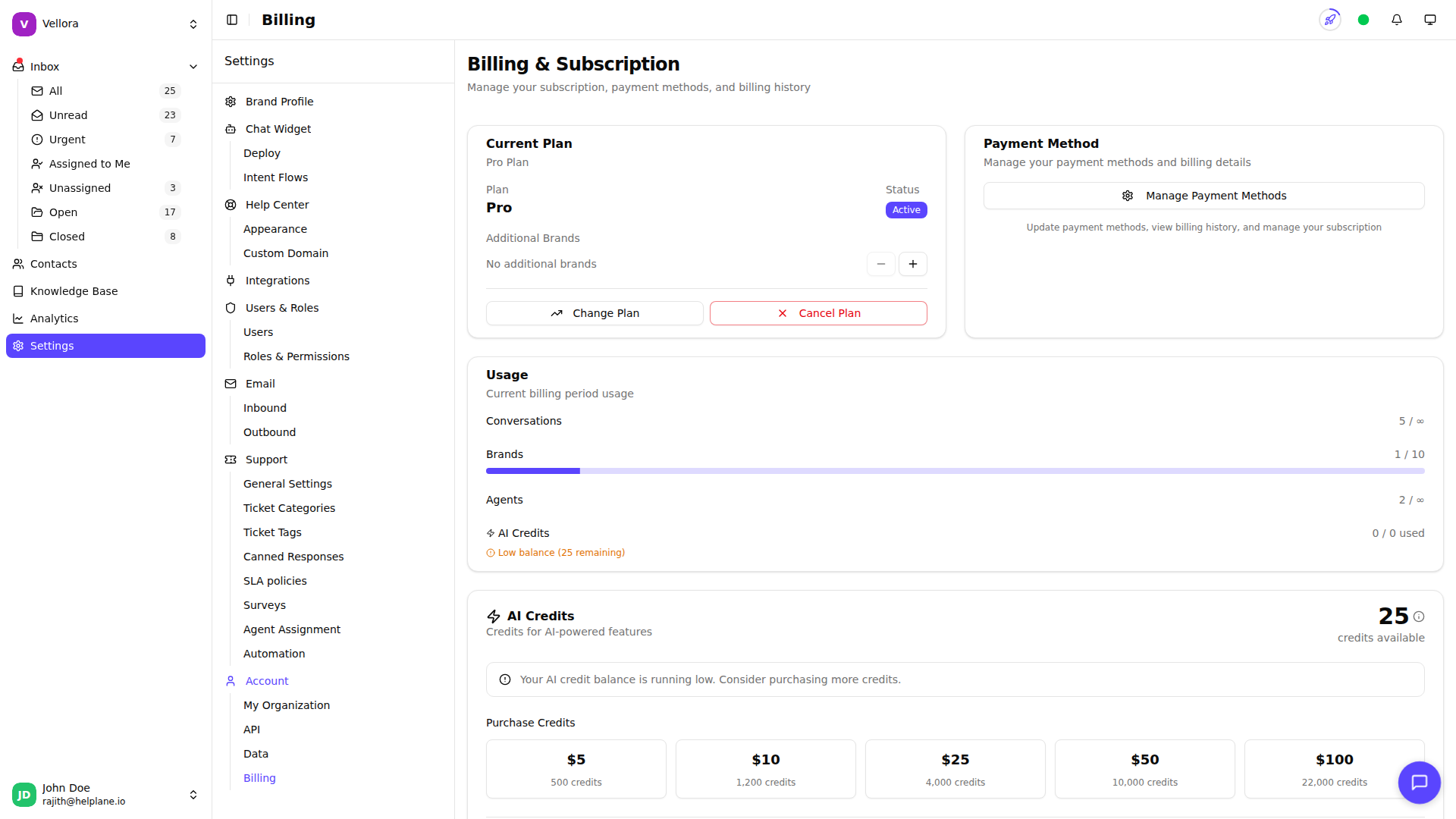
- View your current balance and usage
Credits by Plan
Each plan includes monthly AI credits:
- Free: 25 credits/month
- Standard: 500 credits/month
- Growth: 2,000 credits/month
- Pro: 5,000 credits/month
Credits reset at the start of each billing cycle.
Purchasing Additional Credits
Need more credits?
- Go to Settings > Billing
- In the AI Credits section, click Purchase Credits
- Select a credit package
- Complete the purchase
Purchased credits don't expire and are used after your plan credits.
Auto Top-Up
Never run out of credits with auto top-up:
- Go to Settings > Billing
- In the AI Credits section, enable Auto top-up
- Set the minimum balance threshold
- Select the package to purchase
When your balance falls below the threshold, credits are automatically purchased.
Low Balance Warnings
You'll see a warning when your credits are running low. Plan ahead to avoid running out during busy periods.