
Intent Flow Templates
Get started quickly with pre-built Intent Flow templates for common use cases.
Using Templates
- Go to Settings > Intent Flows
- Click Browse Templates
- Select a template category
- Preview the template configuration
- Click Use Template to create a new flow based on it
- Customize the flow for your needs
- Save your changes
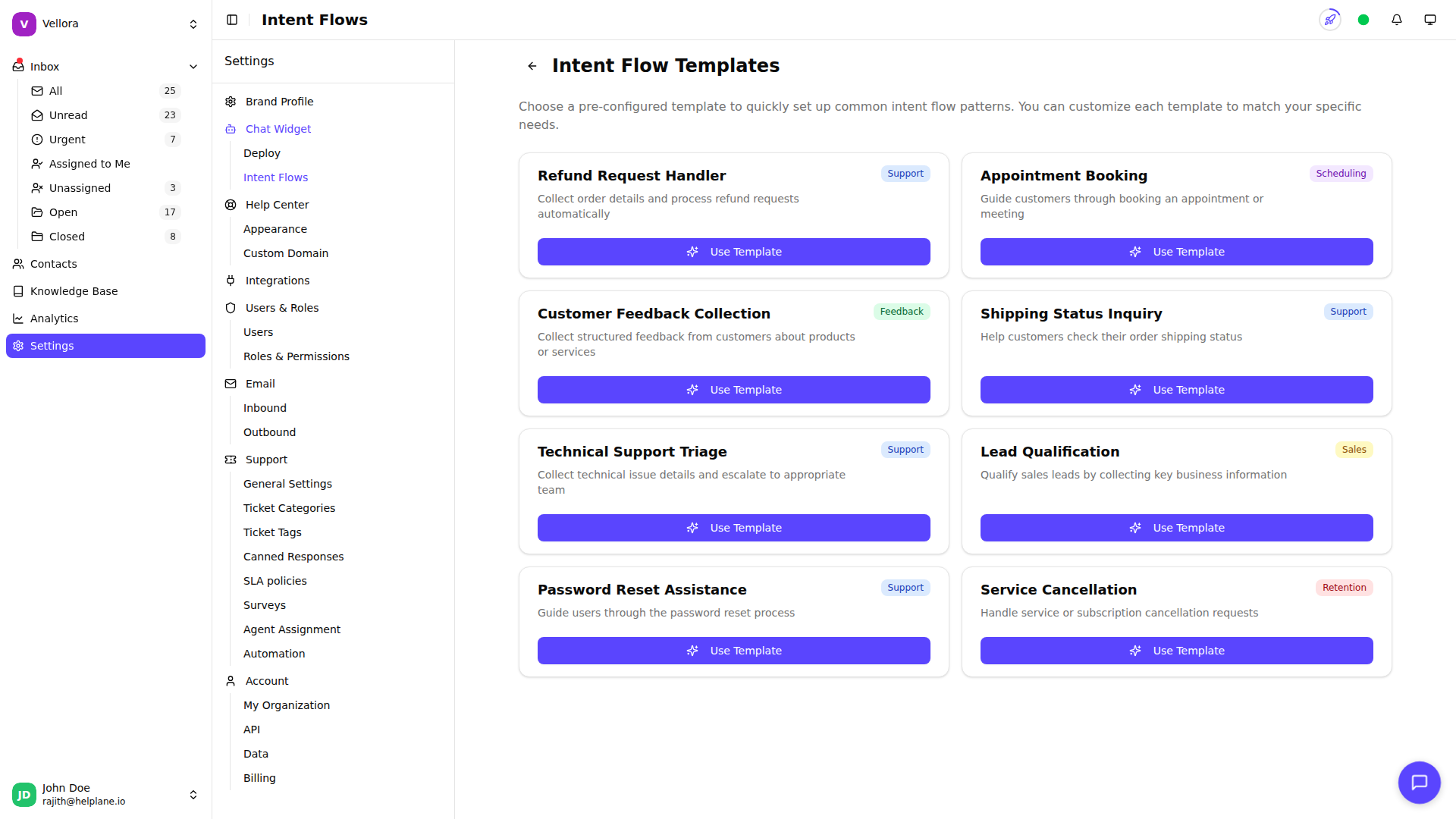
Template Categories
Support Templates
Templates for handling common customer support scenarios:
- General Support Request: Collect issue details and route to support team
- Bug Report: Gather technical details about problems customers encounter
- Feature Request: Collect and categorize product feedback
Scheduling Templates
Templates for appointment and booking flows:
- Appointment Request: Collect preferred times and contact information
- Callback Request: Schedule callbacks with customer availability
Feedback Templates
Templates for gathering customer feedback:
- Product Feedback: Structured questions about product experience
- Service Feedback: Collect feedback on support interactions
Sales Templates
Templates for sales and pre-sales inquiries:
- Pricing Inquiry: Answer common pricing questions and collect lead info
- Demo Request: Qualify leads and schedule product demonstrations
Retention Templates
Templates for customer retention:
- Cancellation Request: Understand why customers are leaving
- Account Recovery: Help customers recover access to accounts
Customizing Templates
Templates provide a starting point. After creating a flow from a template:
Adjust Intents Modify trigger phrases to match how your customers communicate.
Edit Messages Update prompts and responses to match your brand voice.
Add or Remove Steps Add additional data collection or remove unnecessary steps.
Configure Actions Set the specific tags, categories, and agents for your workflow.
Creating Your Own Templates
While you can't save custom templates yet, you can:
- Create a well-configured flow
- Document its configuration
- Recreate it for other brands or use cases
Best Practices
Start Simple Begin with a basic template and add complexity as you learn what works.
Test Before Activating Try your flow with test messages before enabling it for customers.
Monitor Performance Review flow execution logs to see how customers interact with your flows.
Iterate Based on Data Adjust intents and prompts based on which messages match (or don't match) your flows.