
Introduction to Intent Flows
Intent Flows are AI-powered conversation automations that help you handle common customer requests automatically.
What are Intent Flows?
Intent Flows detect what customers are asking about and guide them through structured conversations. Unlike basic automation rules that trigger on events, Intent Flows understand natural language and can:
- Collect information from customers step-by-step
- Update conversation properties automatically
- Send personalized responses
- Escalate to human agents when needed
Common Use Cases
Support Requests Automatically gather order numbers, account details, or issue descriptions before routing to agents.
Refund Processing Collect order information, verify details, and add appropriate tags before escalation.
Appointment Scheduling Guide customers through available times and collect contact information.
Feedback Collection Ask structured questions and save responses as internal notes.
Sales Qualification Ask qualifying questions and route to appropriate sales representatives.
How Intent Detection Works
Intent Flows use AI to understand what customers are asking about. You define trigger phrases in plain English, and the AI matches incoming messages to your defined intents.
For example, if you set intents like:
- "Refund request"
- "Cancel order"
- "Get my money back"
The AI will detect when a customer's message relates to refunds, even if they don't use those exact words.
Accessing Intent Flows
- Go to Settings in the left sidebar
- Select Intent Flows under the Support section
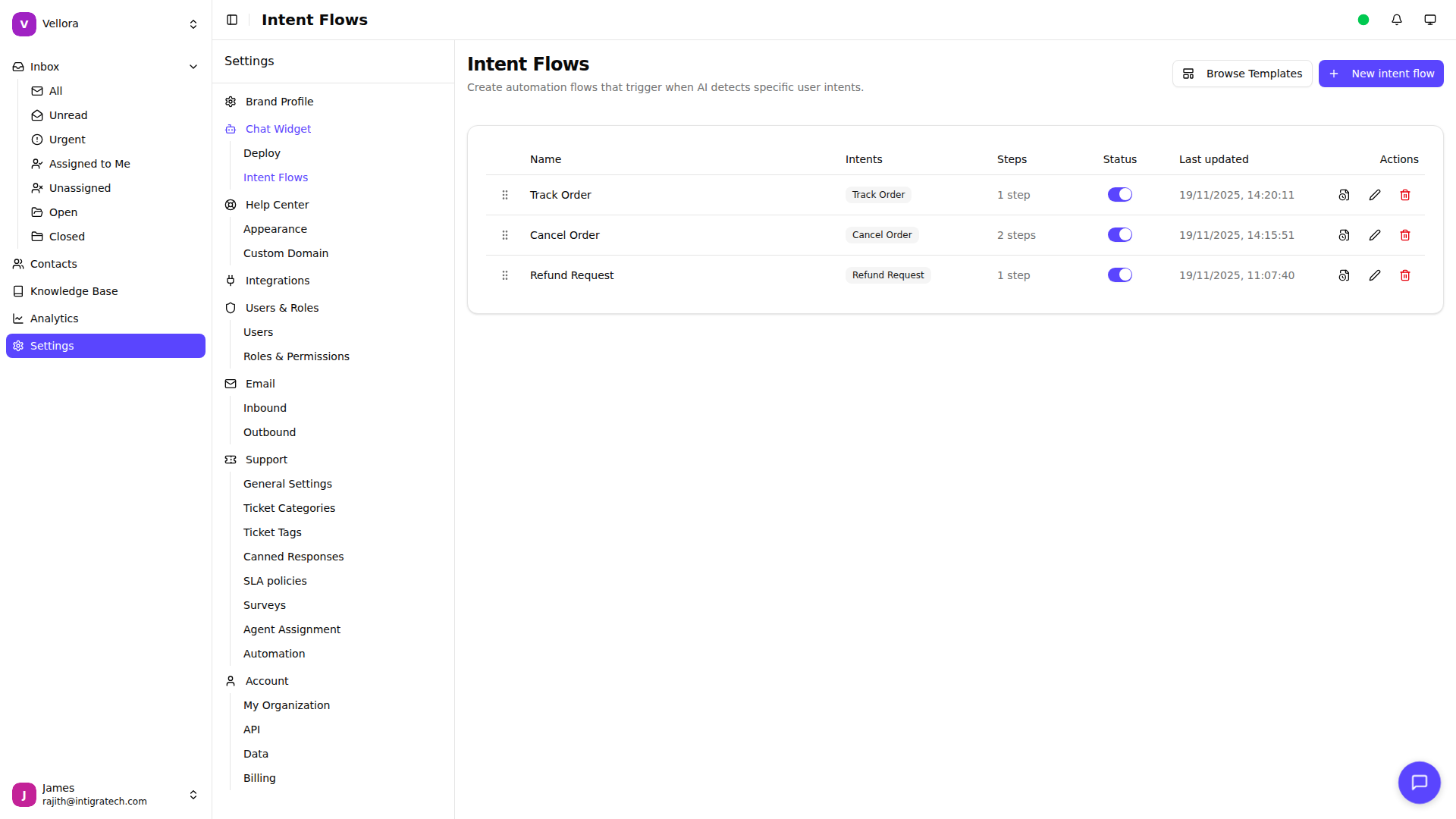
Intent Flow Priority
When multiple flows could match a message, Helplane uses the priority order. Flows at the top of the list are checked first.
Drag and drop flows in the list to adjust their priority. The first matching flow will be executed.