
Managing Billing
Updated Dec 15, 2025
View and manage your subscription and payments.
Accessing Billing
- Go to Settings in the left sidebar
- Select Billing under Account
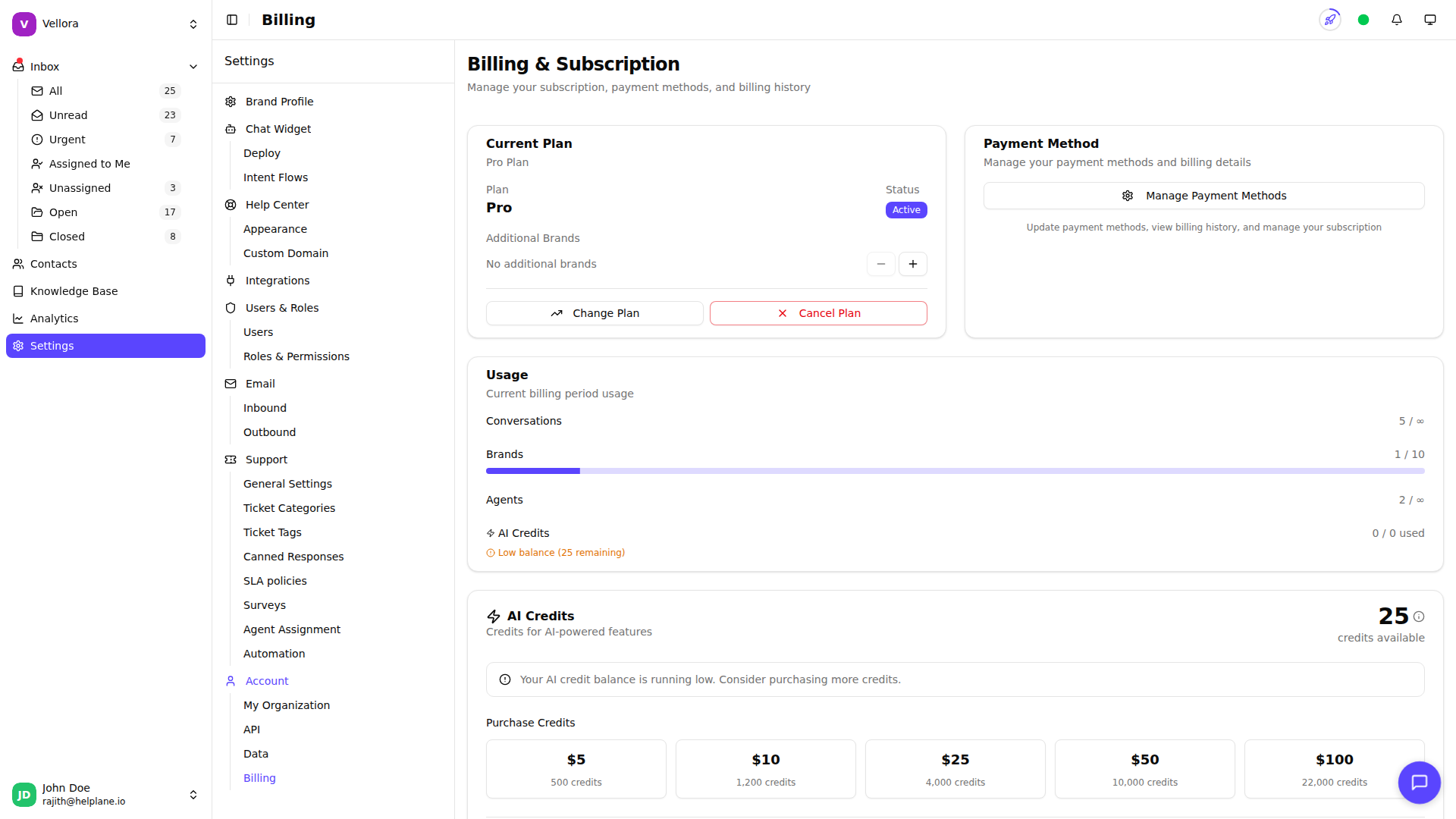
Current Plan
The billing page shows:
- Your current plan name
- Monthly or annual billing cycle
- Next billing date
- Current period dates
Usage Overview
Monitor your usage against plan limits:
- Conversations used this period
- Active brands
- Team members
- AI credits remaining
- Active integrations
- Knowledge base articles
Progress bars show your usage percentage. Warnings appear when approaching limits.
Payment Method
View and manage your payment method:
- See your current card (brand, last 4 digits, expiration)
- Click Manage Payment Methods to update
- You're redirected to the secure Stripe portal
Invoice History
View recent invoices:
- Invoice number and date
- Amount charged
- Payment status
- Download PDF or view online
Click View All Invoices for complete history.
Upgrading Your Plan
- Click Change Plan or visit the pricing page
- Select your new plan
- Choose monthly or annual billing
- Complete payment if required
Upgrades provide immediate access to new features.
Canceling Your Subscription
- Scroll to the bottom of the billing page
- Click Cancel Subscription
- Confirm cancellation
Your plan remains active until the end of the billing period. You can reactivate anytime before then.