
Profile Settings
Updated Dec 15, 2025
Customize your Helplane profile.
Accessing Your Profile
Click your avatar in the bottom-left corner and select My Profile.
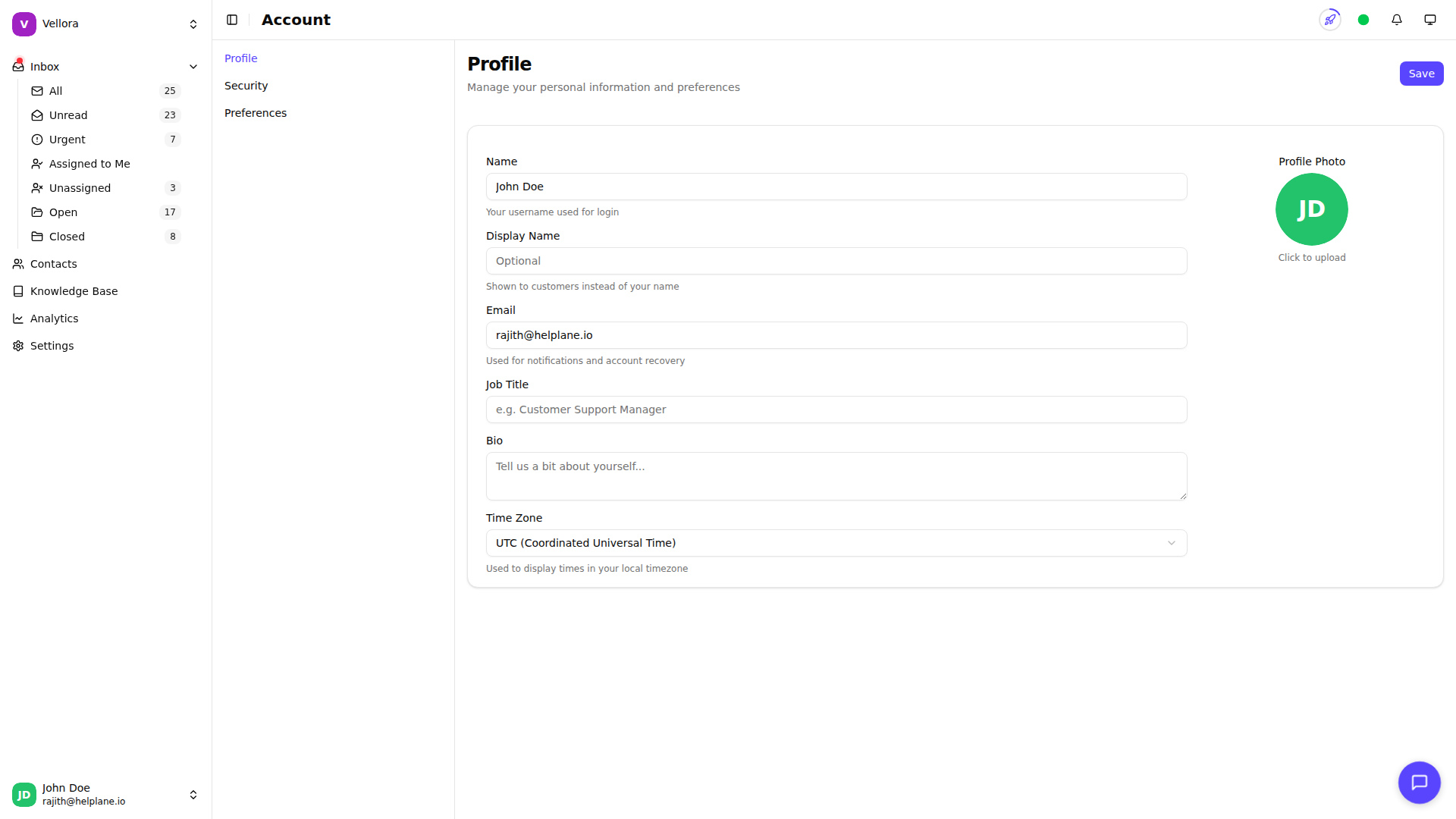
Profile Information
Update your personal details:
- Profile Photo: Upload an image (max 5MB)
- Name: Your display name
- Email: Your email address
- Display Name: Name shown to customers (optional)
- Job Title: Your role (optional)
- Bio: A short description (optional)
Timezone
Set your timezone to display all timestamps correctly:
- Go to your profile settings
- Find the Timezone dropdown
- Select your timezone
- Save changes
All conversation timestamps and scheduled events will use this timezone.
Saving Changes
After making changes:
- Review your updates
- Click Save changes
- A confirmation message appears
Profile Photo Tips
- Use a clear, professional photo
- Square images work best
- Supported formats: JPG, PNG, GIF
- Maximum size: 5MB
Your profile photo appears in conversations and team lists.