
Security Settings
Updated Dec 15, 2025
Keep your Helplane account secure.
Accessing Security Settings
- Click your avatar in the bottom-left corner
- Select My Profile
- Click the Security tab
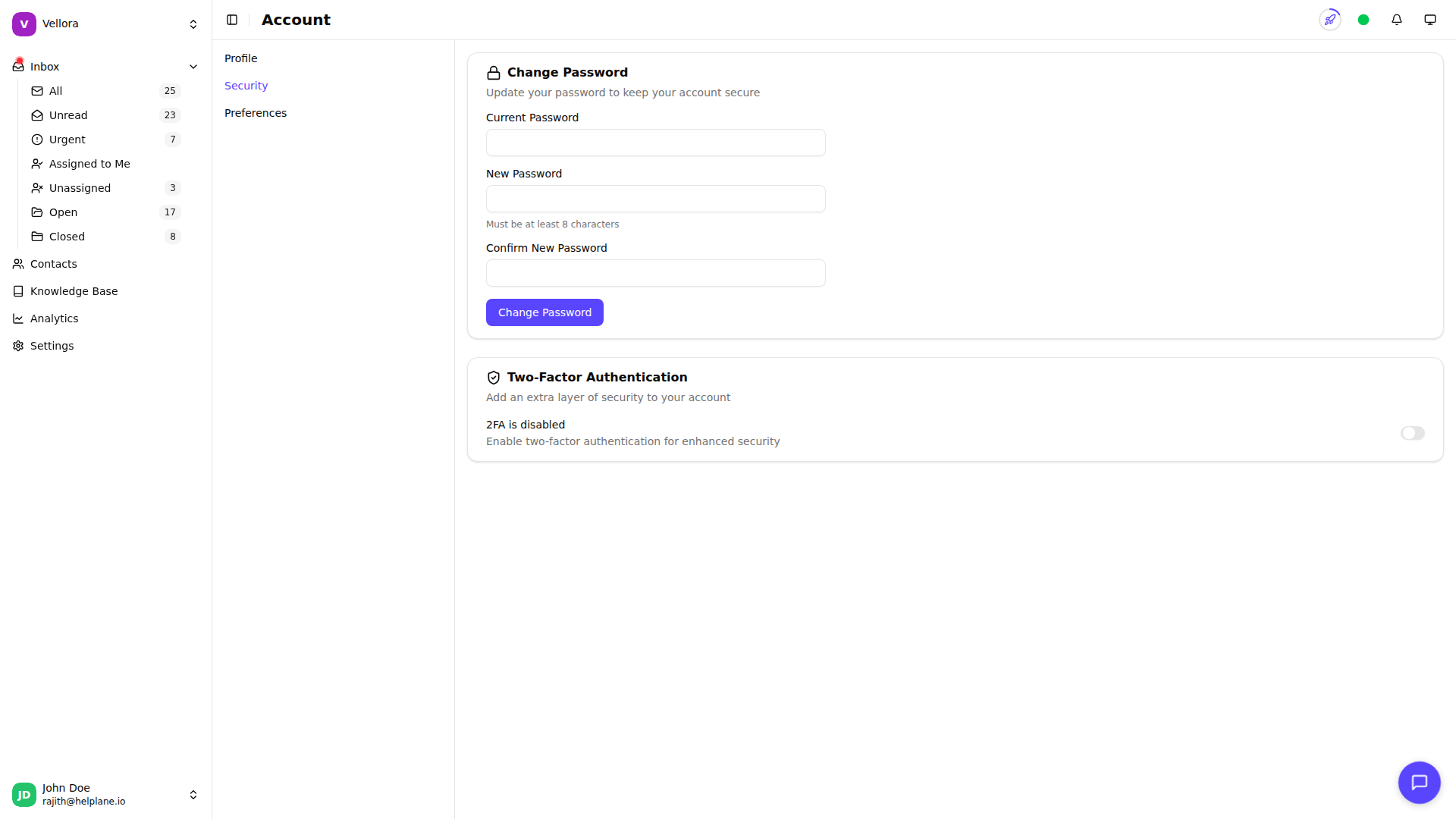
Changing Your Password
- Go to Security settings
- Enter your current password
- Enter your new password (minimum 8 characters)
- Confirm your new password
- Click Change Password
Two-Factor Authentication (2FA)
Add an extra layer of security with 2FA.
Enabling 2FA
- Go to Security settings
- Toggle Enable 2FA
- Scan the QR code with an authenticator app (Google Authenticator, Authy, etc.)
- Enter the 6-digit code from your app
- Save your backup codes
Backup Codes
When you enable 2FA, you receive 10 backup codes. These are one-time use codes for when you can't access your authenticator app.
Important: Save these codes somewhere secure. Each code can only be used once.
Disabling 2FA
- Go to Security settings
- Toggle off 2FA
- Confirm in the dialog
Only disable 2FA if you have another secure method to protect your account.
Signing Out
To sign out of Helplane:
- Click your avatar
- Select Sign out
You'll be redirected to the login page.