
Setting Up CSAT Surveys
Collect customer satisfaction feedback after conversations are resolved.
What are CSAT Surveys?
CSAT (Customer Satisfaction) surveys measure how happy customers are with your support. After a conversation is closed, customers receive a survey asking them to rate their experience on a 1-5 scale.
Accessing Survey Settings
- Go to Settings in the left sidebar
- Select Surveys under the Support section
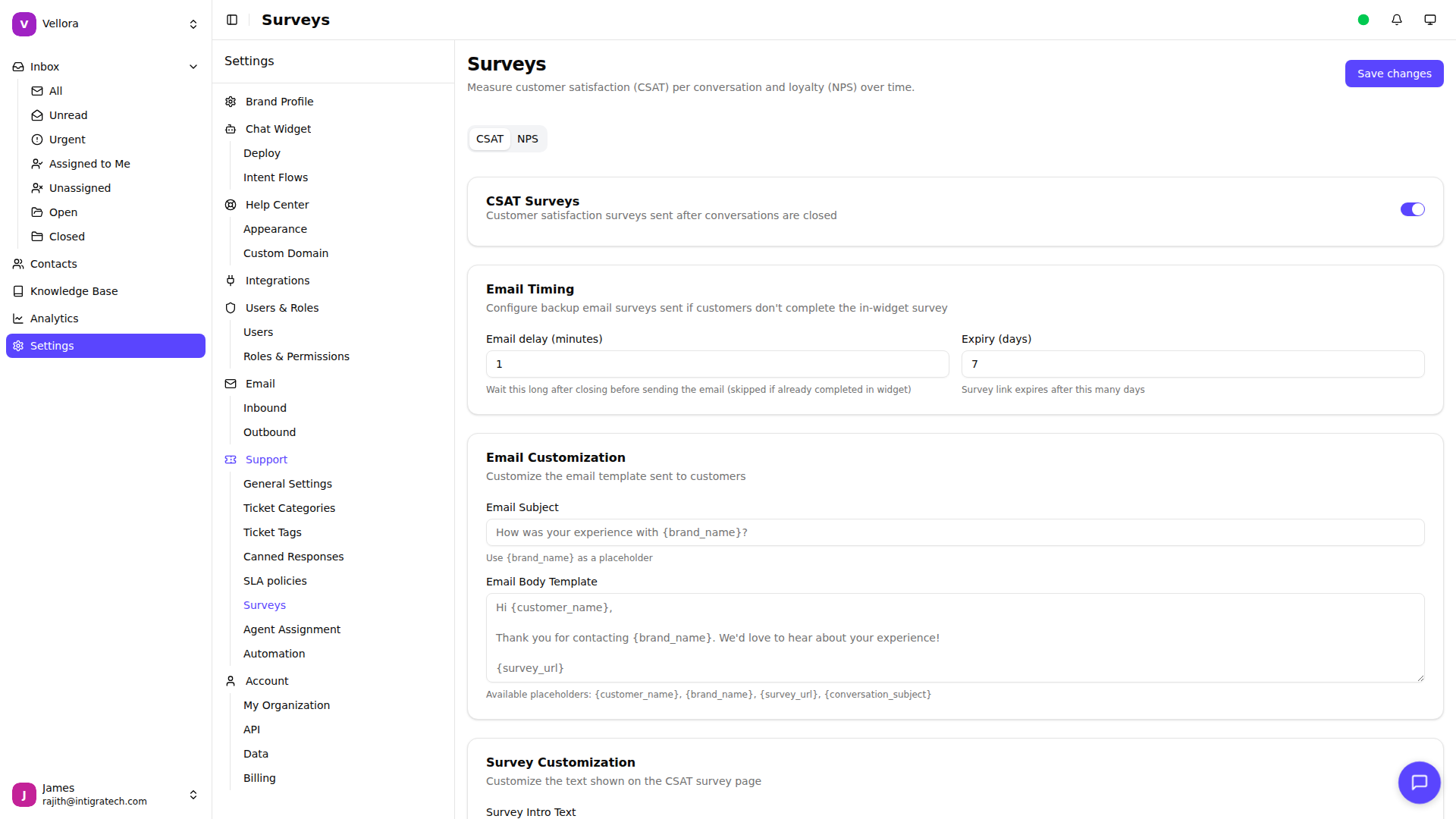
Enabling CSAT Surveys
- Click the CSAT tab
- Toggle Enable CSAT to turn on surveys
- Configure your settings
- Click Save changes
Configuration Options
Email Delay (minutes): How long to wait after closing a conversation before sending the survey email. Default is 60 minutes. Set to 0 to send immediately.
Expiry (days): How long the survey link remains valid. Default is 7 days.
Email Subject: Customize the survey invitation subject line. Use {brand_name} to insert your brand name.
Email Body: Customize the email content. Available placeholders:
{brand_name}- Your brand name{customer_name}- Customer's name{survey_url}- Link to the survey{conversation_subject}- Original conversation topic
Survey Intro Text: The question shown on the survey page (e.g., "How was your experience?")
Thank You Message: Message shown after the customer submits their rating.
How Surveys Work
- Agent closes a conversation
- System waits for the configured delay
- Survey email is sent to the customer
- Customer clicks the link and rates their experience (1-5)
- Customer can optionally leave a comment
- Response is recorded and visible in analytics
Rating Scale
Customers rate using a 5-point emoji scale:
- 1 - Very Dissatisfied
- 2 - Dissatisfied
- 3 - Neutral
- 4 - Satisfied
- 5 - Very Satisfied
Availability
CSAT Surveys are available on Standard plans and above.