
Setting Up NPS Surveys
Measure customer loyalty with Net Promoter Score surveys.
What is NPS?
NPS (Net Promoter Score) measures customer loyalty by asking: "How likely are you to recommend us?" Customers respond on a 0-10 scale and are categorized as:
- Promoters (9-10): Loyal enthusiasts
- Passives (7-8): Satisfied but not enthusiastic
- Detractors (0-6): Unhappy customers
Your NPS score is calculated as: % Promoters - % Detractors
Enabling NPS Surveys
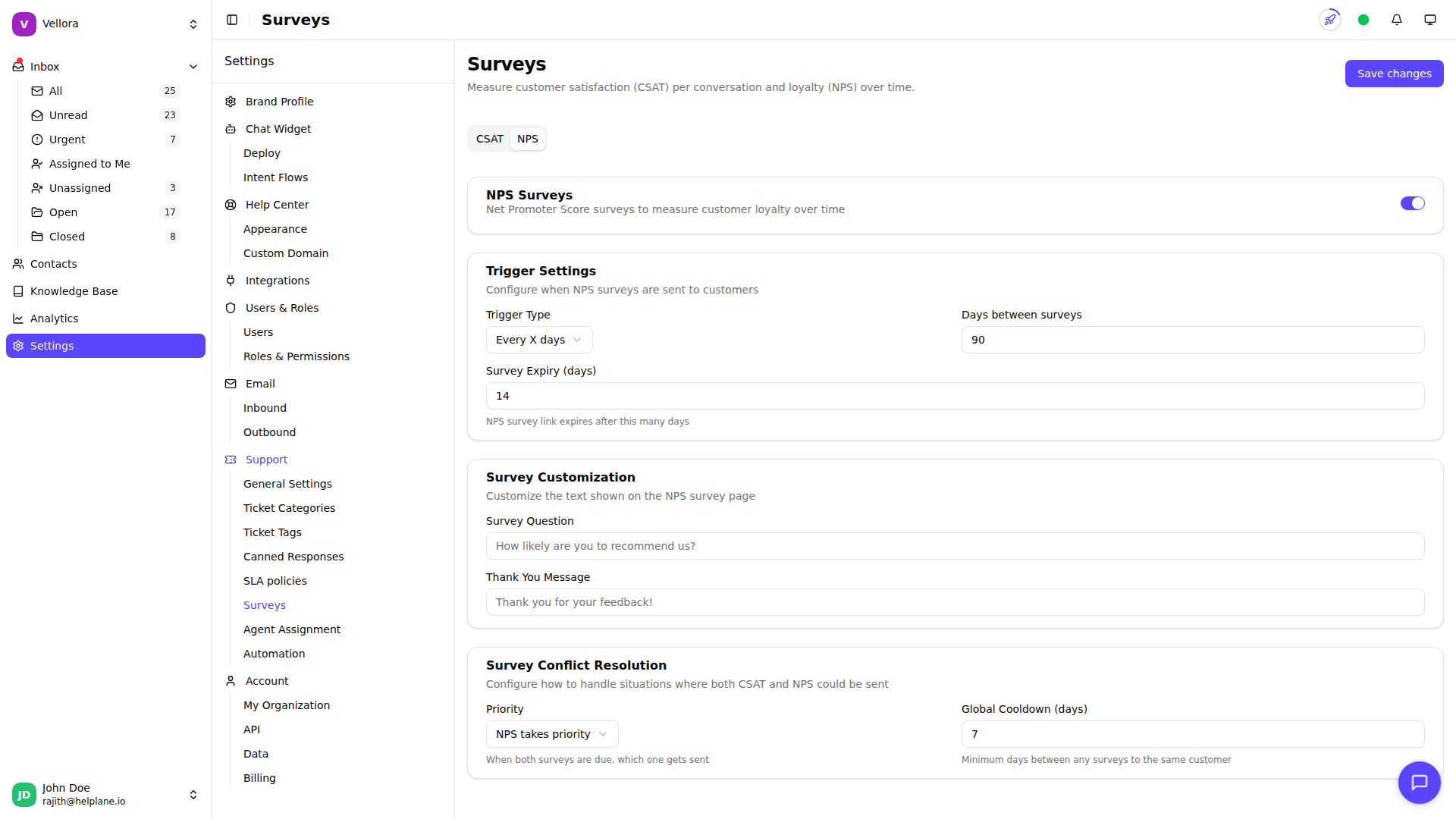
- Go to Settings > Surveys
- Click the NPS tab
- Toggle Enable NPS to turn on surveys
- Configure trigger and timing settings
- Click Save changes
Trigger Options
Choose when NPS surveys are sent:
Periodic (Every X days): Send surveys on a regular schedule.
- Example: Every 90 days, send an NPS survey to customers who've had recent conversations
Conversation-based (Every X conversations): Send after a certain number of resolved conversations.
- Example: After every 5 conversations with a customer
Configuration Options
Trigger Value: The number of days or conversations (depending on trigger type).
Expiry (days): How long the survey link remains valid. Default is 14 days.
Survey Question: The question shown on the survey (default: "How likely are you to recommend us?")
Thank You Message: Message shown after submission.
CSAT and NPS Together
If you enable both CSAT and NPS surveys, configure how they interact:
NPS Priority: NPS surveys take precedence over CSAT.
CSAT Priority: CSAT surveys take precedence over NPS.
Cooldown-based: Set a minimum number of days between any surveys to avoid survey fatigue.
Availability
NPS Surveys are available on Standard plans and above.