
Assignment Strategies
Configure how conversations are assigned to agents.
Accessing Assignment Settings
- Go to Settings in the left sidebar
- Select Agent Assignment under Support
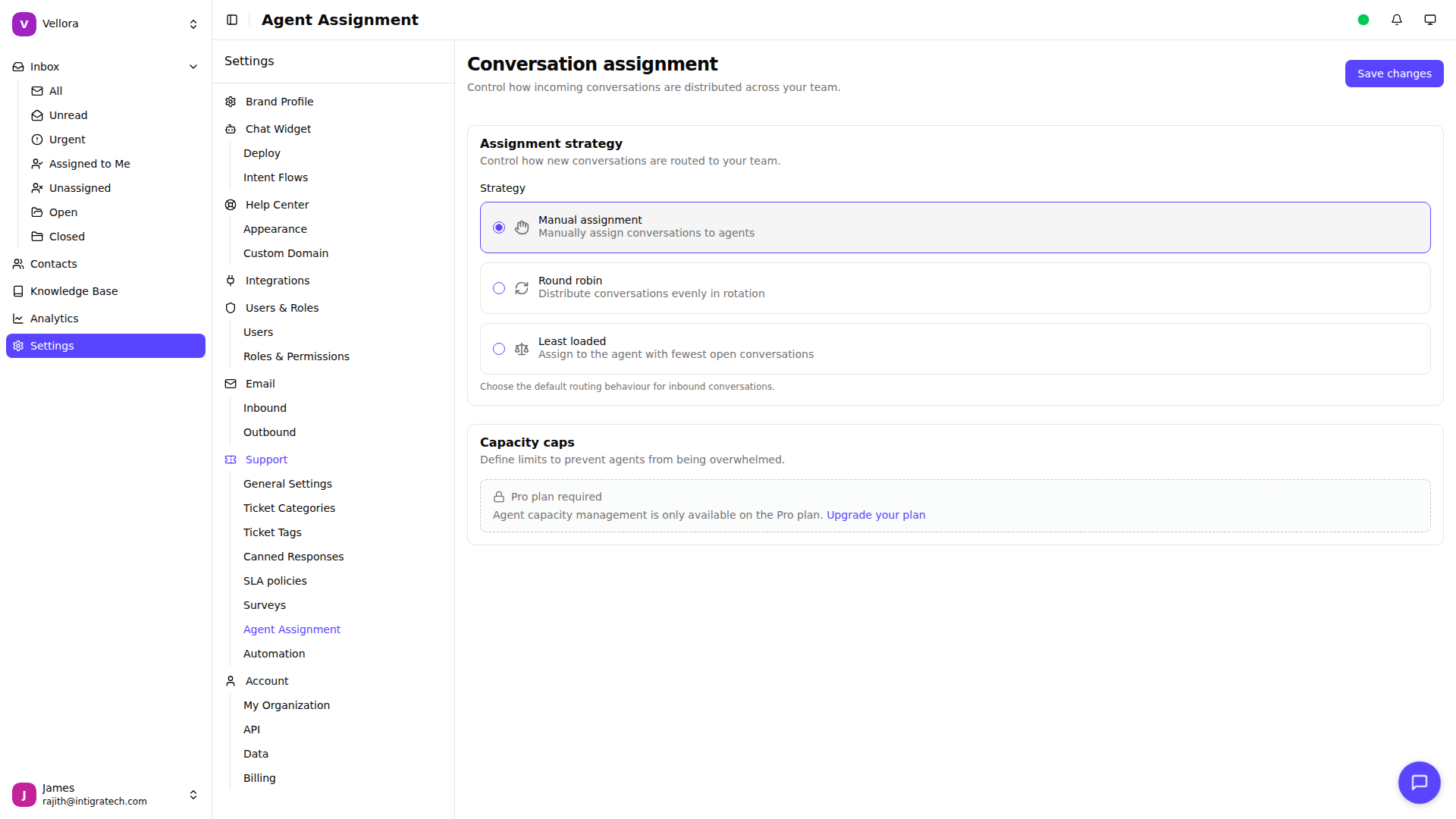
Available Strategies
Manual Assignment
Conversations remain unassigned until an agent claims them or a manager assigns them. Best for small teams or when specific expertise is needed.
Round Robin (Growth plan and above)
Conversations are distributed evenly among available agents in rotation. Ensures fair workload distribution.
Least Loaded (Growth plan and above)
Conversations are assigned to the agent with the fewest open conversations. Balances workload based on current capacity.
Changing the Strategy
- Go to Settings > Agent Assignment
- Select your preferred strategy
- Click Save changes
Capacity Limits (Pro plan)
Set limits on how many conversations each agent can handle:
Default Capacity: The maximum conversations for all agents.
- Enter a number in the Default capacity field
- Enter 0 for unlimited
Per-Agent Overrides: Set different limits for specific agents.
- Find the agent in the overrides section
- Enter their specific capacity limit
Agents at capacity won't receive new automatic assignments.
How Assignment Works
When a new conversation arrives:
- System checks the assignment strategy
- For Round Robin/Least Loaded, finds eligible agents who are:
- Available (not set to unavailable)
- Under their capacity limit
- Assigned to the conversation's brand
- Assigns to the selected agent
- Agent is notified via push notification and email (based on their notification preferences)
If no agents are eligible, the conversation remains unassigned.