
Creating Knowledge Base Articles
Updated Dec 15, 2025
Build a self-service help center for your customers.
Accessing the Knowledge Base
Click Knowledge Base in the left sidebar to manage your articles.
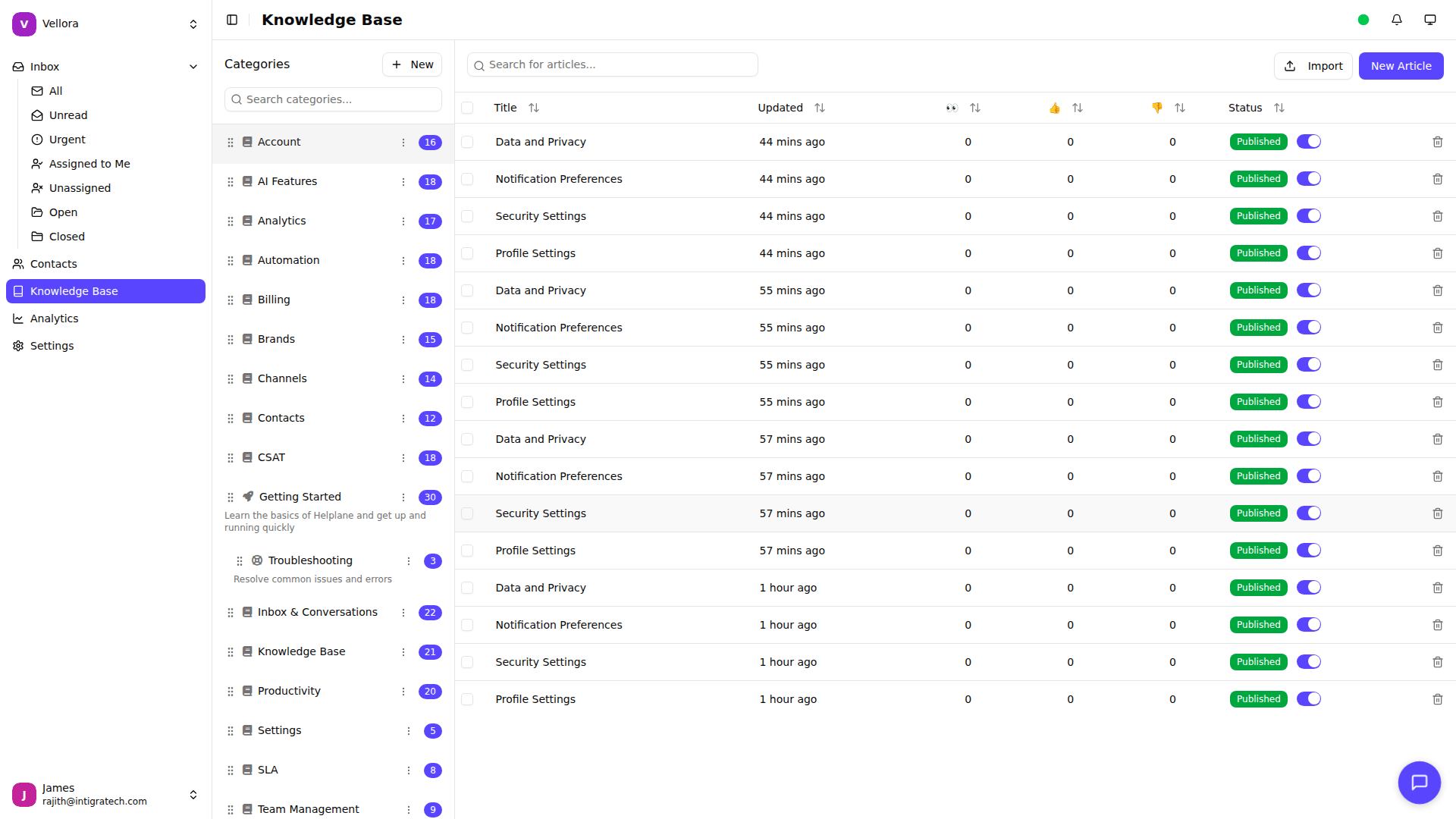
Creating an Article
- Click New Article in the top right
- Enter your article title
- Write your content using the rich text editor
- Select a category for the article
- Click Save
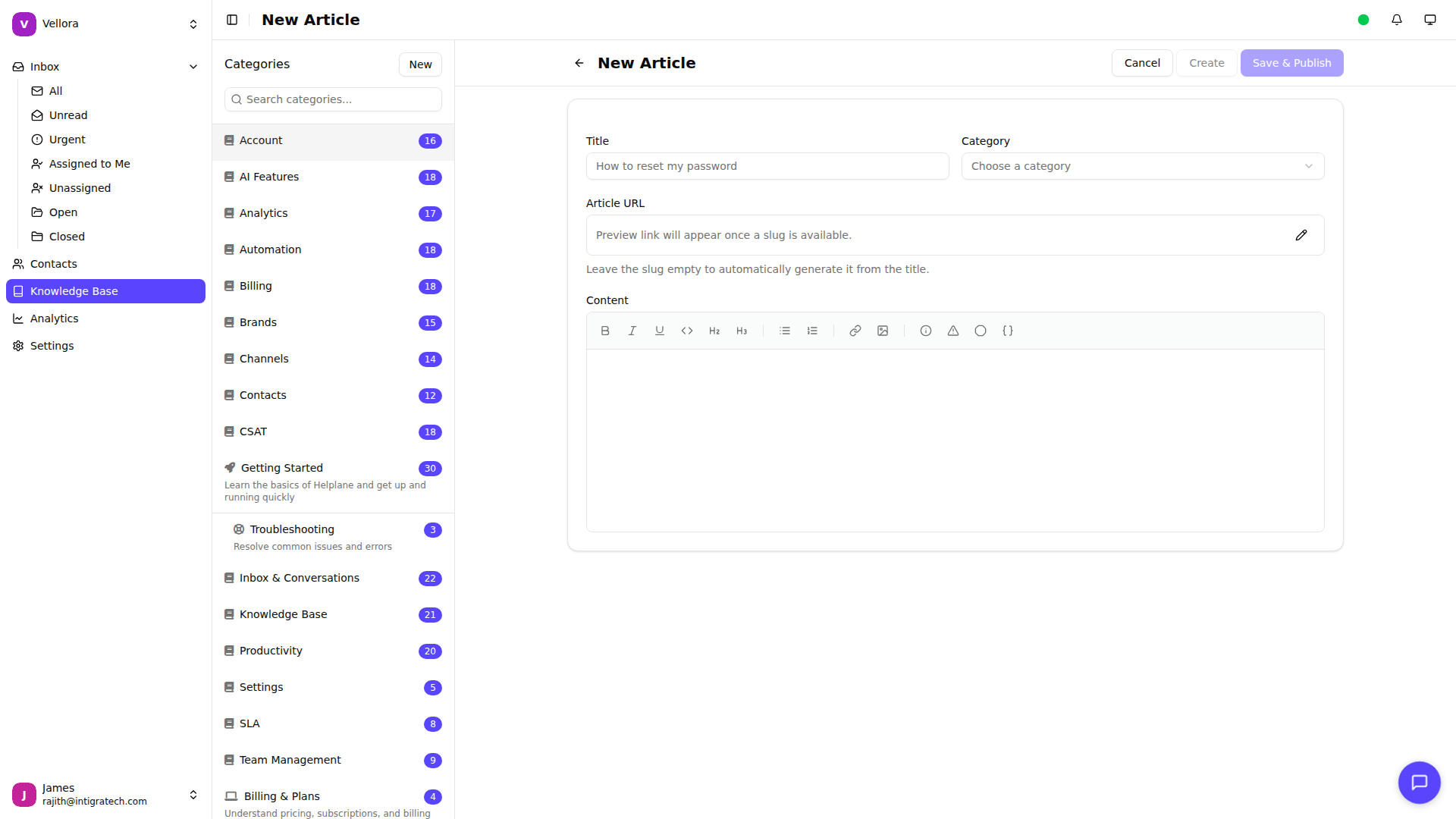
Using the Editor
The editor supports rich formatting:
- Bold and italic text
- Headings (H1, H2, H3)
- Bullet and numbered lists
- Links and images
- Code blocks
- Tables
Organizing with Categories
Categories help customers find articles:
- Go to Settings > Knowledge Base
- Click Manage Categories
- Create categories like "Getting Started", "Billing", "FAQs"
- Drag to reorder categories
Publishing Articles
Articles have two states:
- Draft: Not visible to customers
- Published: Live on your help center
To publish:
- Open the article
- Click Publish in the top right
Article Best Practices
- Use clear, descriptive titles
- Start with the most important information
- Include step-by-step instructions
- Add screenshots for complex procedures
- Keep paragraphs short and scannable
- Link to related articles